

Manage Comics tags every active subscriber on their Shopify customer record with Manage Comics - Active. You can use that tag in Shopify customer segments to email only active subscribers, save subscriber-only mailing lists, or reconcile your subscriber count between Manage Comics and Shopify.
How to find all active subscribers
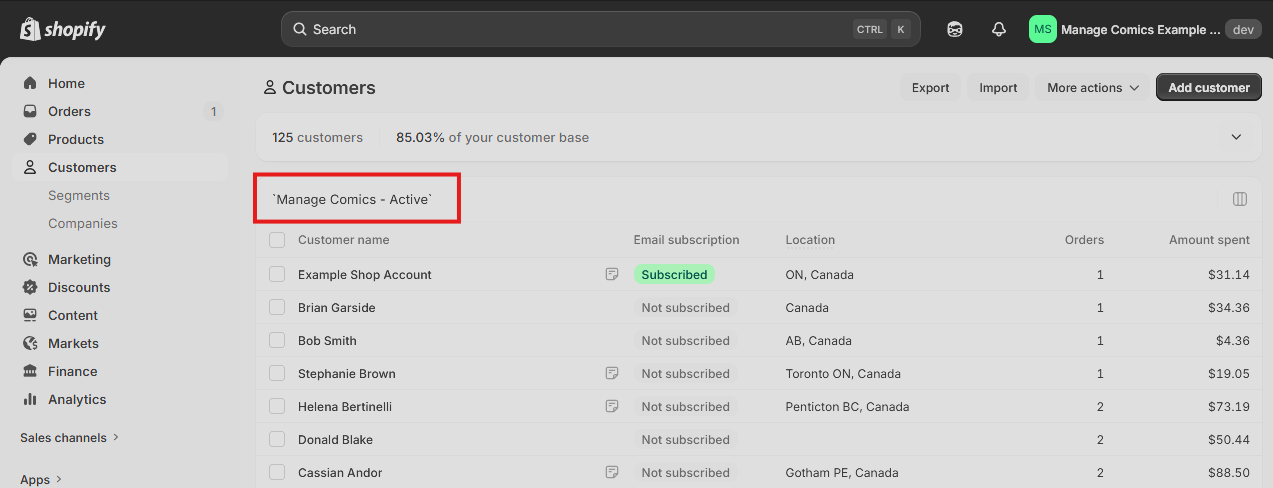
In the Shopify admin, go to Customers.
In the search box, search:
Manage Comics - Active.
The list now shows every active Manage Comics subscriber.
Creating a Segment for reuse
In the Shopify admin, go to Customers > Segments.
In the search field enter
customer_tags CONTAINSand selectManage Comics - Active.
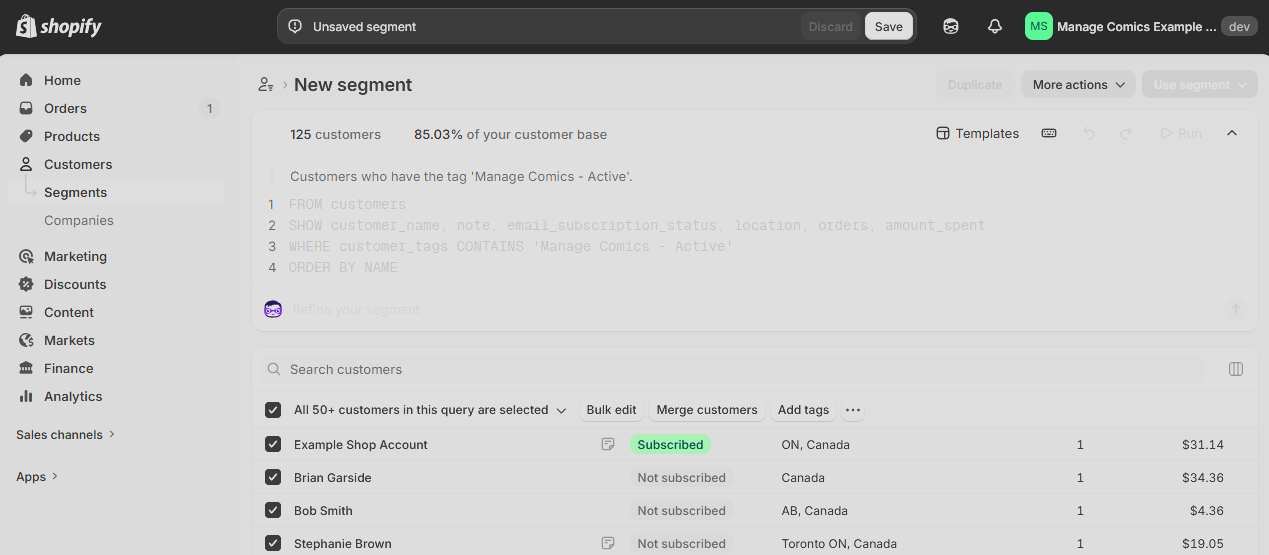
At the top of the page click Save.
Give it a name, such as "Active Subscribers" and save.
The saved segment recomputes every time you load it, so it stays current as Manage Comics updates the tag on subscriber changes.
Sending email to the segment
You can email the segment from Shopify directly. Shopify will only send to customers who are Opted In to email, even if they are in the segment.
For pulls and shop-specific subscriber emails, see Email Campaigns, which uses the same subscriber list.
Reconciling the count
If you want to confirm the Shopify segment matches your Manage Comics subscriber count:
Run the saved segment in Shopify and note the count.
In Manage Comics, go to All Customers, filter to Subscribers, and note the count.
The counts should match. If they differ, a recent signup may not have synced yet, or there may be a customer in Manage Comics without a linked Shopify account. Contact support if you see ongoing differences.