

This is where you control which publishers a location carries and Supplier Codes for Oryx.
Publisher Configuration
Open Settings → Publishers.
Use the location dropdown at the top right to select which location you're configuring.
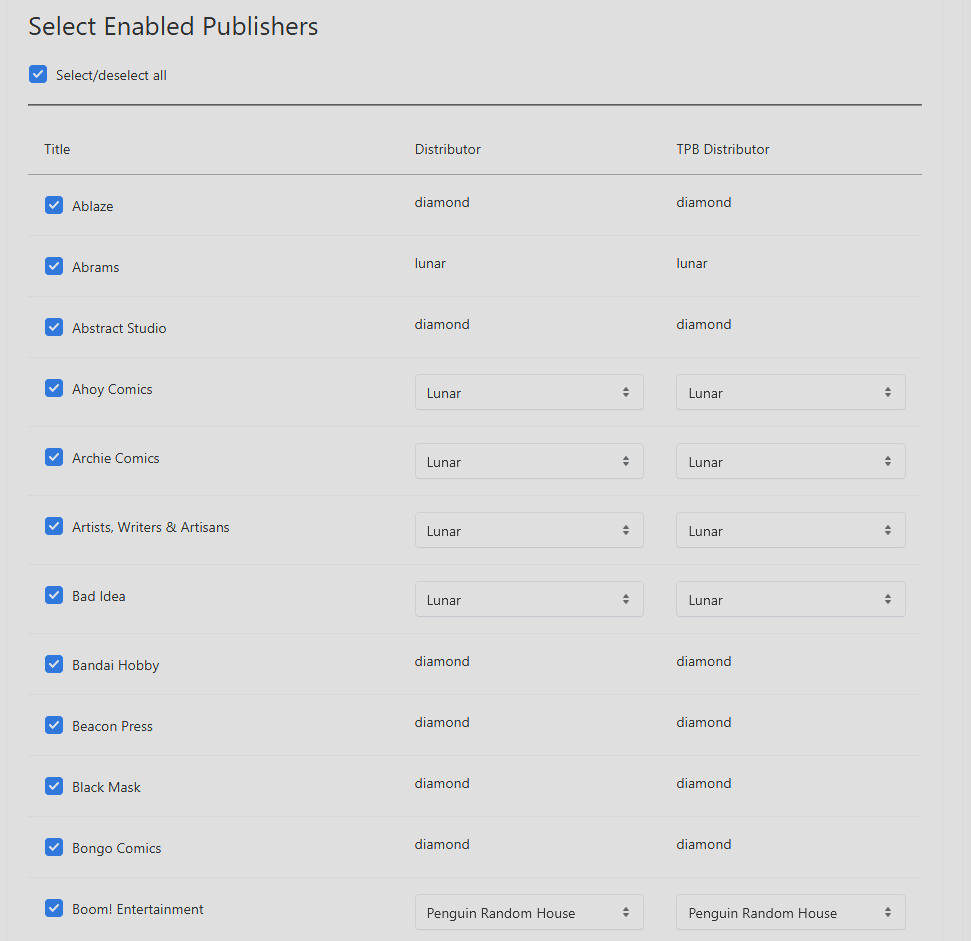
For each publisher, toggle active / inactive for this location. Inactive publishers are ignored when this location processes FOC and initial-order files and will not display that publisher's books to customers.
For each active publisher, choose the preferred distributor from the dropdown.
Click Save.
Switch to the next location with the dropdown and repeat if your other stores carry different publishers or use different distributors.
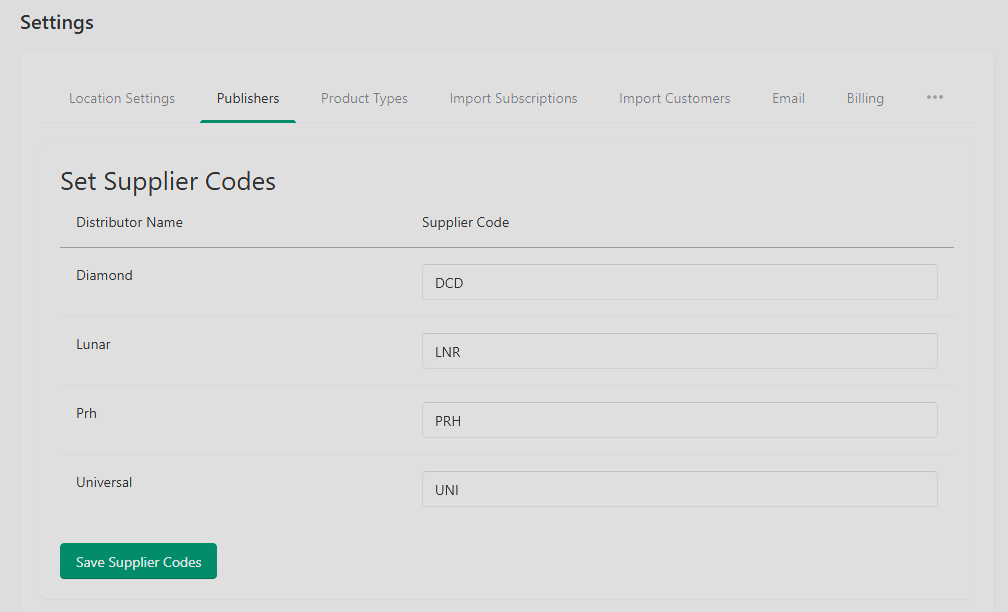
Supplier Codes
If you use RMH, set your supplier codes in this section.
Working Across Locations
Before you save anything on these three pages:
Check the location dropdown at the top of the page.
Confirm the changes you're about to save are for the location you intended.
After saving, switch to another location with the dropdown to verify your edit didn't bleed across locations.
If the location filter ever feels like it's "stuck" on the wrong store, that's the same session-cookie behavior described in Filtering by Location — clearing it or using a fresh browser profile resets it.
Tips
Vary publisher availability by location based on what each store actually sells.
After changing import settings, run a small test import to confirm the new behavior before doing a large one.
Review recent imports regularly to catch silent errors before they pile up.
Troubleshooting
Can't see publishers for secondary locations. Confirm the location exists in Settings → Locations and that publisher data has been imported at all (an empty publisher list usually means no FOC has ever been processed for that location).
Import errors with no clear reason. Check that the related customers exist and that all required fields are populated in the source file. The recent imports log will usually point at the offending row.
Settings won't save. A required field is empty or invalid. Look for inline error messages on the page.
Distributor missing from the dropdown. It hasn't been added to the system yet — a distributor has to be known to Oryx before it can be assigned to a publisher.
Import settings don't seem to apply. You probably saved them while a different location was selected. Switch back to the intended location, re-apply, and save.
Ordo Equivalent
Ordo shops manage most of this in Shopify:
Product vendor is a Shopify field on each product.
Product type is a Shopify field.
Tags (for new-releases collection, variant identification, etc.) are managed in Shopify.