

The Shortages report is the running list of products where you received fewer copies than you ordered. Every time you mark a line item as shortaged during check-in, the shortage is recorded here. The report is what you use to track distributor performance over time and to keep a record for distributor-credit conversations.
Where to Find It
Reports → Shortages.
If you have multiple locations, use the location dropdown at the top to filter to a single store, or All Locations to see every store's shortages together. In All Locations view, each row shows which store the shortage came from.
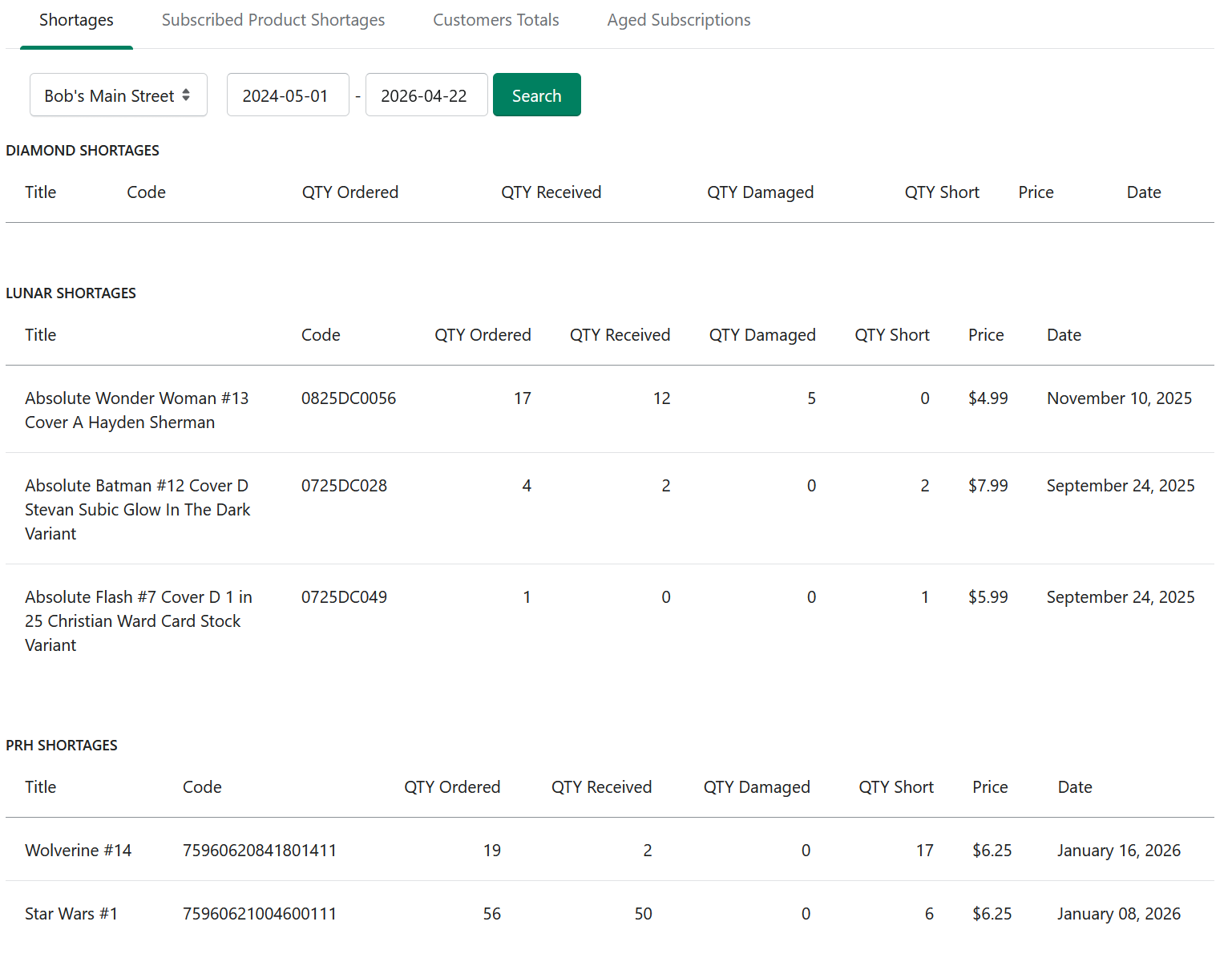
This report keeps shortage data for future reference, so you can go back and review previous reporting periods later.
Typical Uses
Distributor scorecard. Run the report for a recent period and look for repeat shortages from one distributor. Persistent shortages are worth raising with your rep.
Credit conversations. When a distributor questions a credit request, the report is your record of which shortages happened on which dates.
Inventory reconciliation. Shortages explain why your received quantity diverged from what you ordered.
Related
Subscribed Product Shortages — the subscriber-facing version of this report.
Check In Weekly Shipment — where shortages are first flagged.