

Shopify Flow is Shopify's automation tool. It runs rule-based actions on products, customers, and orders. A few Flows are useful for Manage Comics shops, especially for keeping a New Arrivals collection fresh without manual tag work.
What a Flow is
A Flow has three parts:
Trigger — what happens (for example, product created).
Conditions — filters that narrow when the Flow runs.
Action — what Flow does in response (for example, add a tag).
Flows run in the background. Install Shopify Flow from the Shopify App Store if it is not already installed on your shop.
Setting up a Flow
Go to Settings → Apps → Shopify Flow.
Click Create workflow.
Choose a trigger.
Add conditions if needed.
Add an action.
Activate the workflow.
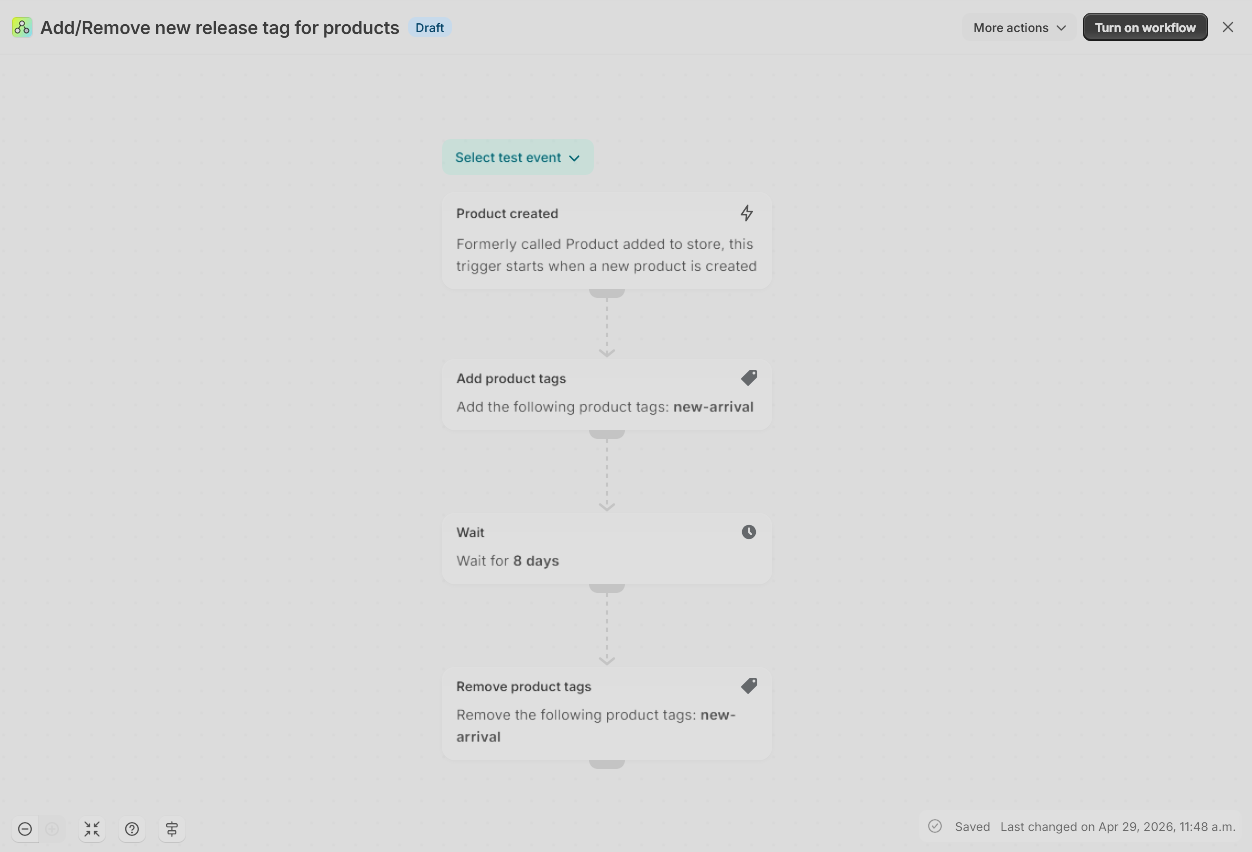
Add/Remove New Release Tag (Comics, 8 days)
This Flow tags every newly created product as new-arrival, waits 8 days, then removes the tag. Paired with a "New Arrivals" Smart Collection that includes everything tagged new-arrival, the collection stays current without manual work.
Download the Flow here: Add_Remove new release tag for products.flow
How to set it up:
In Shopify admin, go to Apps → Shopify Flow → Import.
Upload the
.flowfile linked above.Review the workflow. The trigger is Product created, the action is Add product tag (
new-arrival), followed by Wait 8 days, then Remove product tag (new-arrival).Activate.
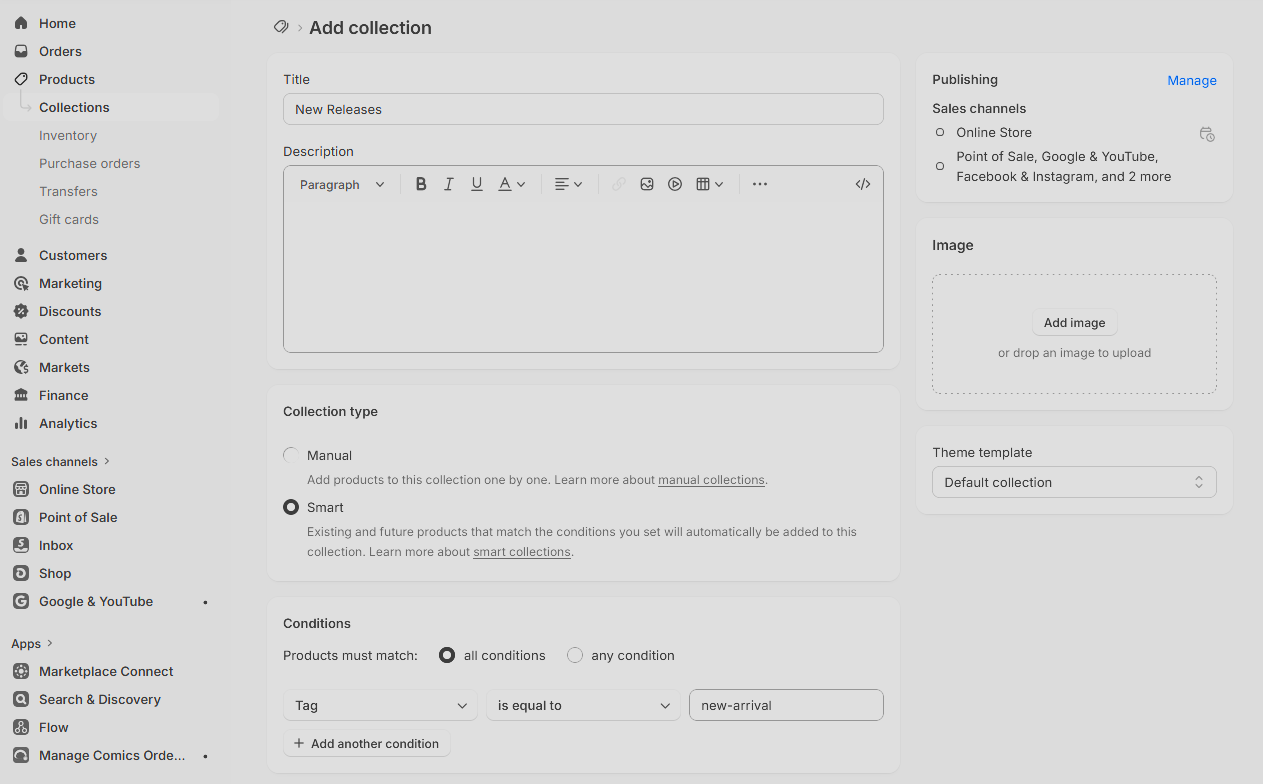
Pair it with a Smart Collection titled "New Arrivals" with the condition Tag is equal to new-arrival. Everything tagged by the Flow appears there automatically.
Add/Remove New Release Tag for Graphic Novels and Games (30 or 60 days)
Graphic novels and games move slower than weekly comics, so you may want them to stay in "new arrivals" longer. This version uses the tag new-arrival-gns with a 30-day wait, which you can change to 60 days.
Downloadable Flow file: Add_Remove new release tag for GN_Games (30_60 days).flow
How to set it up:
Import the
.flowfile as above.The trigger is Product created with a condition filtering to graphic novels and games. Edit the condition to match how your shop tags those products.
The action is Add product tag
new-arrival-gns, then Wait 30 days (or change to 60), then Remove product tagnew-arrival-gns.Activate.
Pair it with a Smart Collection titled "New Graphic Novels" with the condition Tag is equal to new-arrival-gns.
Testing a Flow
Before activating a new Flow:
Create a test product that matches the trigger conditions.
Watch the Flow run. Shopify shows the execution log under Activity.
Confirm the action was applied correctly.
Activate.
Things to keep in mind
Flows run asynchronously. A Flow triggered by product creation may take a few seconds to run.
Review the conditions after importing a
.flowfile. Product type and vendor filters may need to match how your shop is organized.