

The Order Helper is a separate Shopify app that connects Manage Comics with Shopify Point of Sale. It pulls a customer's existing Manage Comics orders into the POS cart, including items, quantities, and discounts, so you can ring up subscriber pulls without retyping anything. This article covers installing the app and adding it as a POS tile.
How to install the Order Helper
The Order Helper is an unlisted Shopify app, so you will not find it through Shopify App Store search. Install it directly:
Click Install.
Approve the app's permissions.
The app is now installed on your shop.
How to add the Order Helper tile to Shopify POS
In the Shopify POS app, click Add Tile.
Click App.
Click the arrow next to Manage Comics Order Helper.
Click Add next to Actions - Manage Comics Order Helper.
Click Save in the POS app.
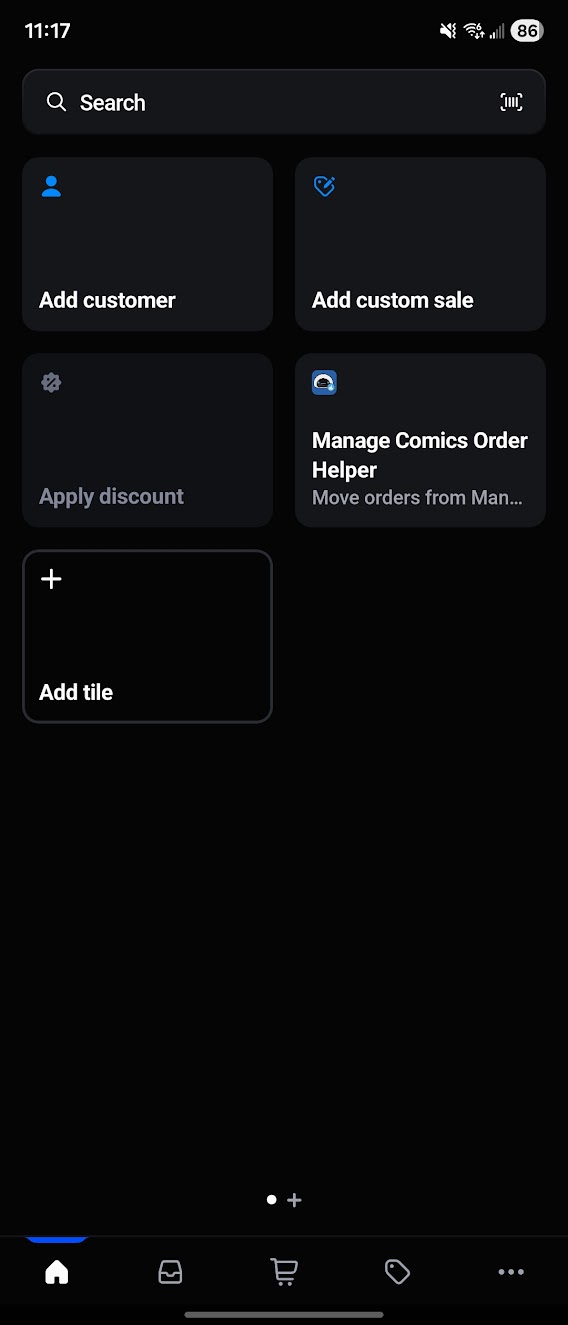
The tile is now on your POS home screen and ready to use during checkout.