

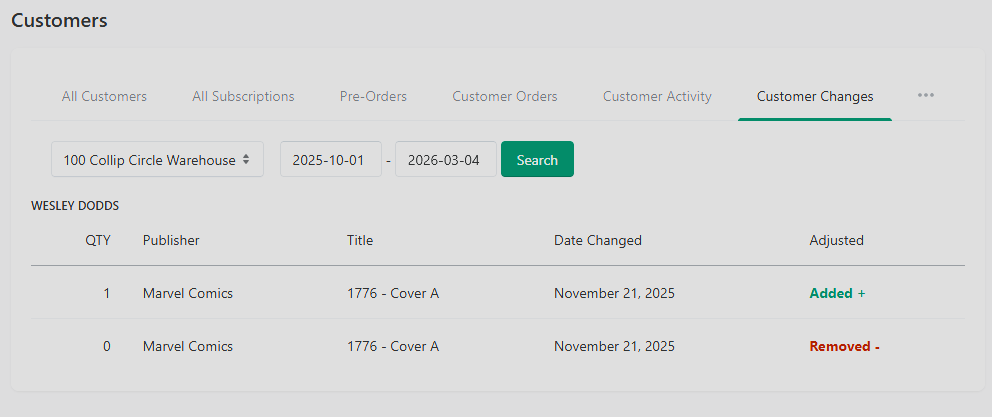
Customer Changes is a simple but useful view. It is a chronological log of what customers (and your staff) have recently added to or removed from pull lists. It's the answer to a question that comes up every week — "who added this?"
Where to Find It
Customers → Customer Changes.
What You See
A list of adds and removals by customer, showing:
Customer name
Title changed
Action (added, removed, price-adjusted, etc.)
Timestamp
Why This Exists
There are three main use cases:
"Who added this?" — a customer says they didn't add a title to their pull but it's there. Customer Changes tells you when and (in multi-admin shops) which staff member added it.
Catching mistakes quickly. If a staff member accidentally deletes a sub, you'll see it here the same day.
Trend-spotting. Watching the feed of adds across a week tells you informally which titles are getting traction with your customer base.
Limitations
The view is chronological, not searchable by customer today. If you need to find every change a specific customer made, scroll the feed.
Changes are logged at the moment they happen; there's no undo directly from this screen. To reverse a change, go to the customer detail page.