

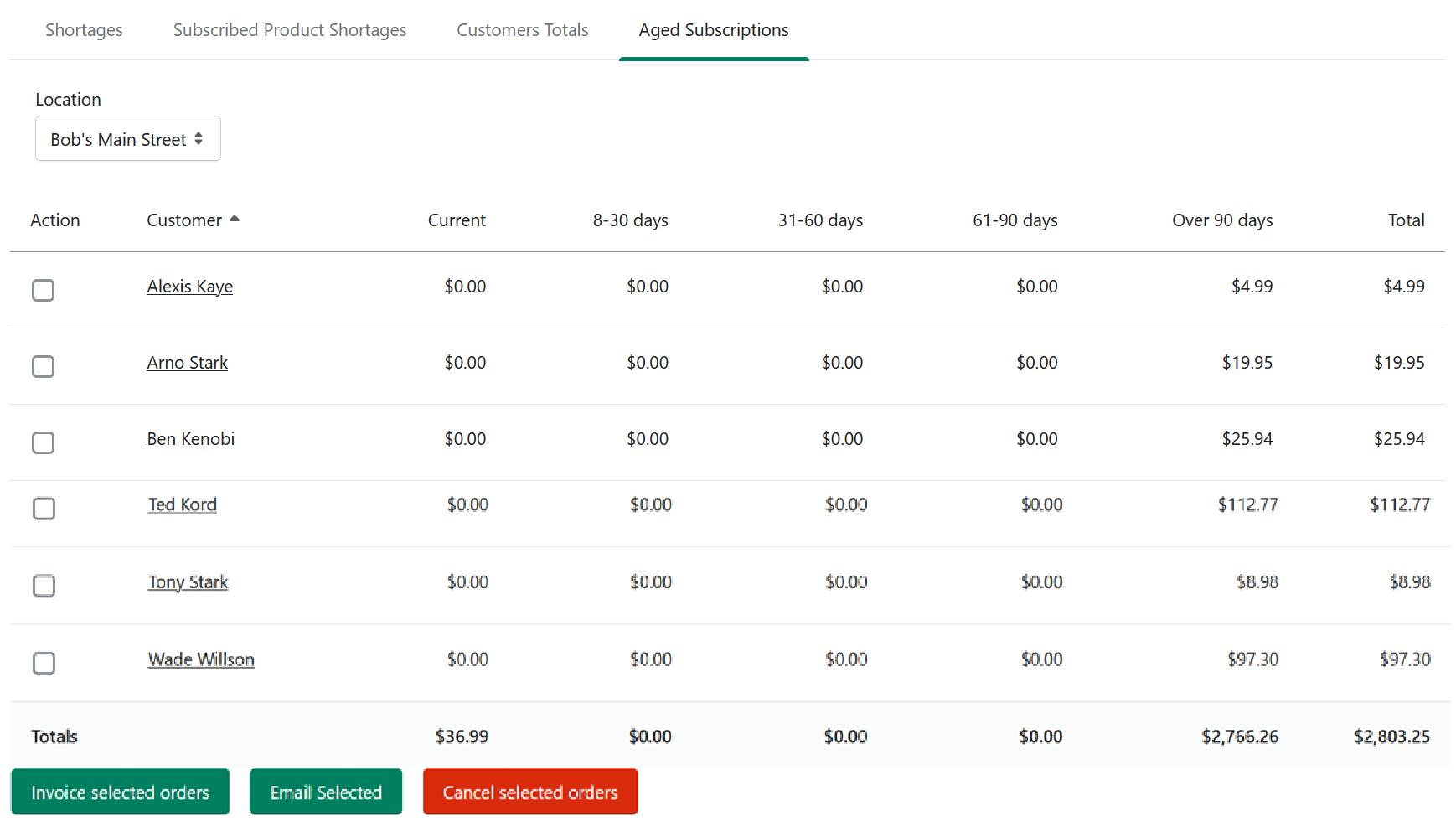
Use Aged Subscriptions to see all outstanding pulled books and customer totals by age range.
This is one of the most useful reporting sections for store cleanup. It helps you see who has books sitting in their pull box for extended periods, how much they owe, and what action you may want to take next.
The report lists customers who have books sitting in their pull box, organized by how long the books have been waiting:
Current (last 7 days)
8-30 days
31-60 days
61-90 days
Over 90 days
Total
Before You Start — Email Setup
Aged Subscriptions uses the built-in Manage Comics email system. Before you email customers from this report, configure your shop's email settings so messages look and feel like they come from your store. See Email Settings.
How to Use Aged Subscriptions
Go to Reports → Aged Subscriptions.
If you have multiple locations, scope to one store or All Locations using the location dropdown.
Sort by customer name or by any of the age columns (Current, 8-30, 31-60, 61-90, Over 90, Totals) to find the accounts you want to act on.
Select one or more customers.
Choose an action — Invoice, Email, or Cancel (see below).
The Three Actions
Invoice the selected orders. Creates a draft order in Shopify and notifies the customer in Shopify that an order has been created.
Email the selected people. Opens an email interface (see below).
Cancel the selected orders. Releases the quantity that was being held for those customers and marks the orders as deleted.
The Email Interface
When you choose Email, an interface opens with:
Email Subject.
Email Body — pre-populated with default copy you can edit. If you change it, Save your changes, or the email reverts to the default copy after this one send.
Close — discard and close.
Save — overwrite the default copy with your new copy for future sends.
Send — deliver the email through the Manage Comics email system.
Preview — see the rendered email before sending.
Things to keep in mind
Local-pickup customers make up most of this report. Shipping customers receive their pulls automatically, so aging mostly happens with pickup customers.
Holiday periods can affect the data. Pulls left uncollected in December often get picked up in January or February, so it is worth waiting a few weeks before acting on a December report.
Related
Customer Orders — where you can fulfill or restock aged orders.
Customer Detail View — where you can deactivate a customer.