

This article is a directory of where to find the invoice files each distributor provides for weekly check-in. The check-in workflow expects a CSV invoice; each distributor publishes them in a different place on their retailer portal, and this article is the reference for finding them.
Lunar
There are two places to get Invoices from Lunar, either the invoice itself, or the shipping manifest. The shipping invoice is available as soon as your order has been shipped and may be available before your invoice.
Shipping Invoice
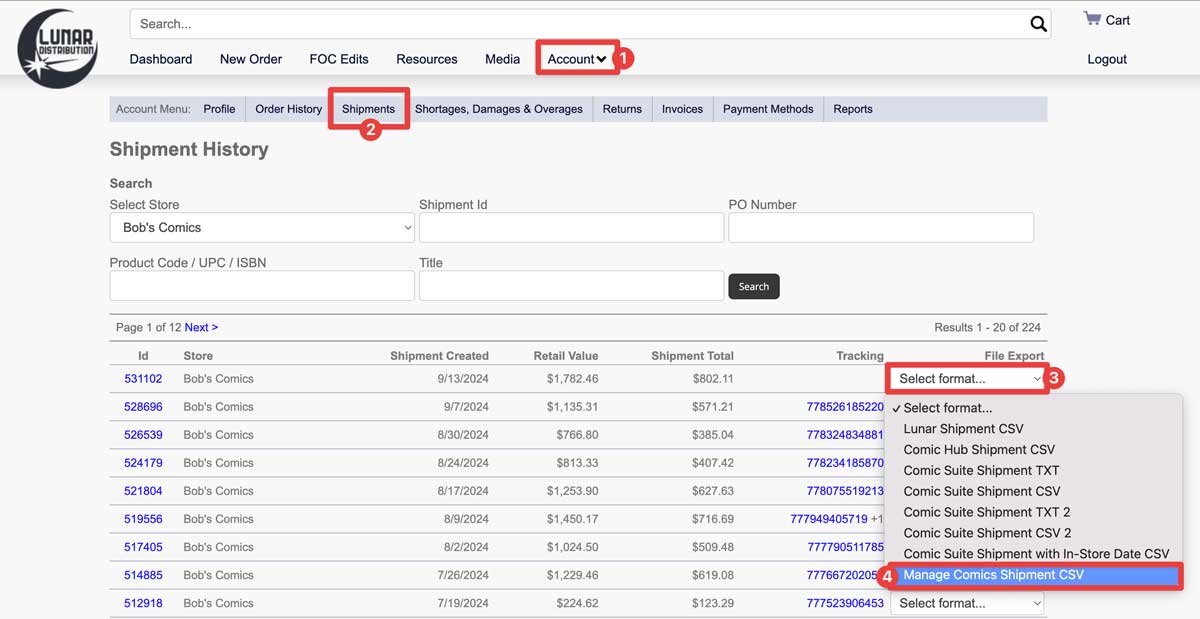
To find your shipment invoice, go to lunardistribution.com and click on Account → Shipments.
Click Account.
Choose Shipments in the Account menu.
On the invoice you need the file for, click the Select Format dropdown.
Choose the Manage Comics Shipment CSV file.
Invoice
To get to your Lunar invoices, go to lunardistribution.com and click on Account → Invoices.
Click Account.
Choose Invoices in the Account menu.
On the invoice you need the file for, click the Select Format dropdown.
Choose the Manage Comics Invoice CSV file.
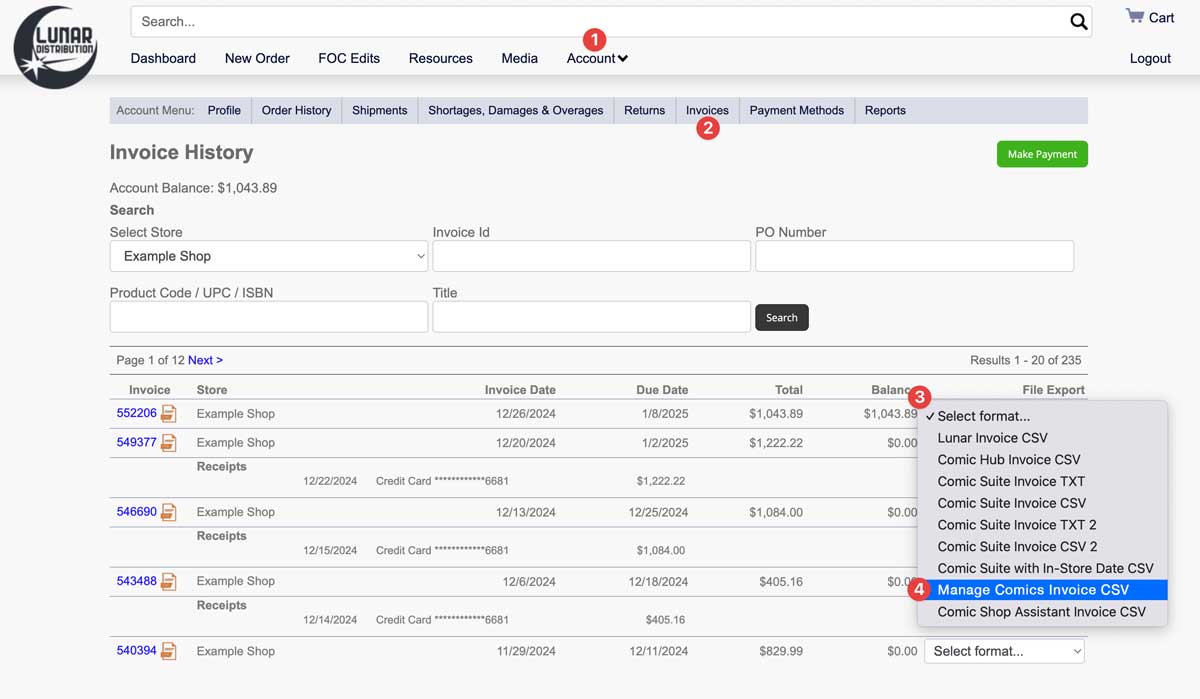
Lunar names their invoices by the InvoiceID (a 5 digit number).
PRH (Penguin Random House)
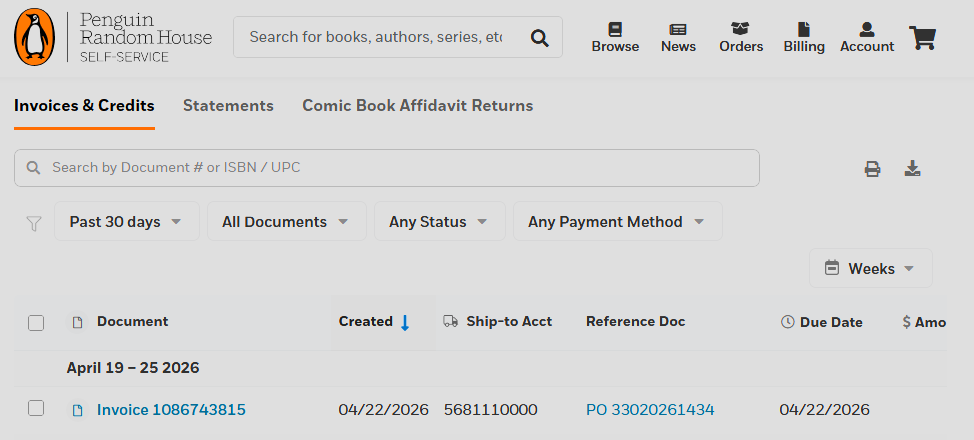
Log in to PRH Self-Service.
Navigate to Billing → Invoices & Credits.
Click into each invoice and download the individual CSV.
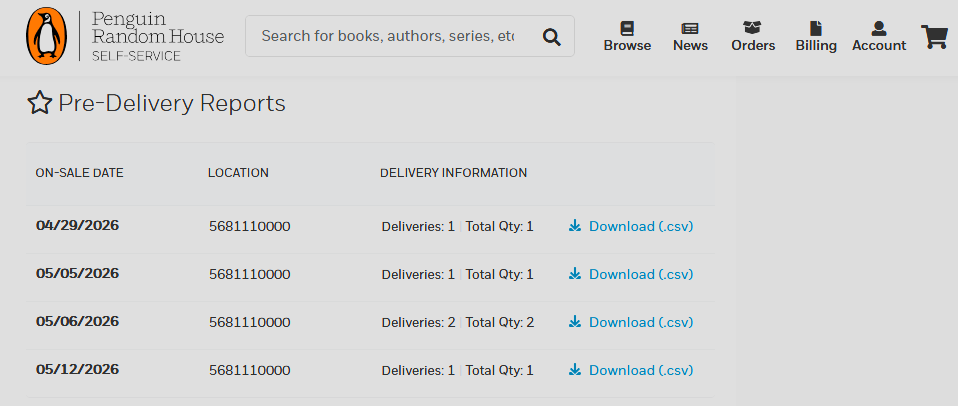
We can also accept the PRH Pre Delivery Reports, but when we do use them, you will be able to find them on the main dashboard page of your Self-Service portal under Recent Deliveries and News & Updates.
Universal
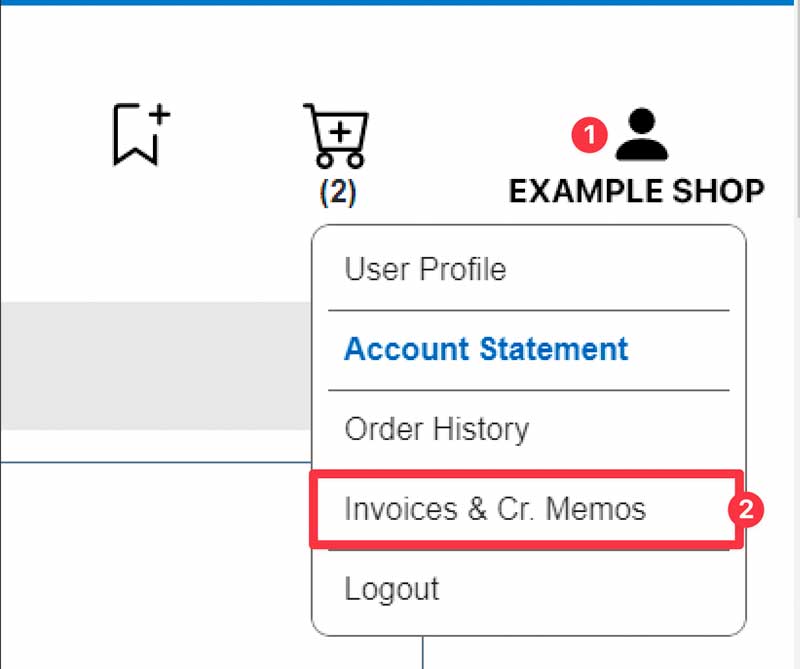
Log in to Universal's retailer portal and click on your account name.
Click Invoices & Cr. Memos.
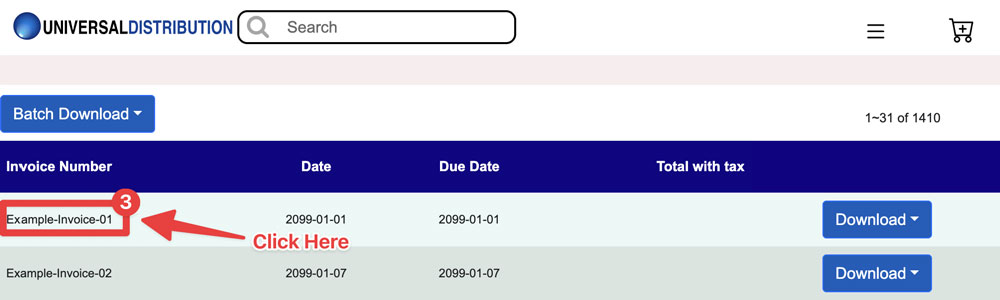
In the Invoices and Credit Memos screen, click on the invoice you want to download.
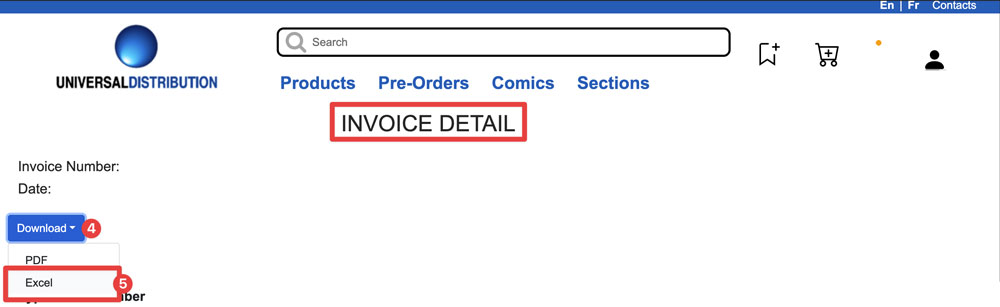
From the Invoice Details screen, click the Download button.
Select Excel format.
General Tips
Save invoices locally. Once you've imported an invoice into Manage Comics, the distributor may or may not keep the file available indefinitely. Download a copy to your own drive as insurance.
Match invoice dates to your check-in sessions. If you're checking in on Wednesday for Wednesday-street titles, grab the Wednesday invoice specifically — avoid accidentally uploading last week's file.
Don't edit invoice files before upload. Even minor edits (column re-ordering, sorting) can cause parsing errors. If you need to edit, see How to Safely Open a CSV in Excel.