

Once a customer has an approved account on your Ordo storefront, they can subscribe to ongoing series directly — adding titles to their pull list without calling the shop. This article is the customer-facing walkthrough of how that works from their perspective.
The Customer's Path
The customer logs in and navigates to your Manage Comics area.
They click Browse Series or navigate to a specific title from your storefront.
On the title page, they see:
The title and publisher.
Description about the issue, as well as comic details including the creative team.
Cover Price, FOC and Shipping Date.
Cover variants (Including Ratio variants if you have them enabled).
A Subscribe to Series button.
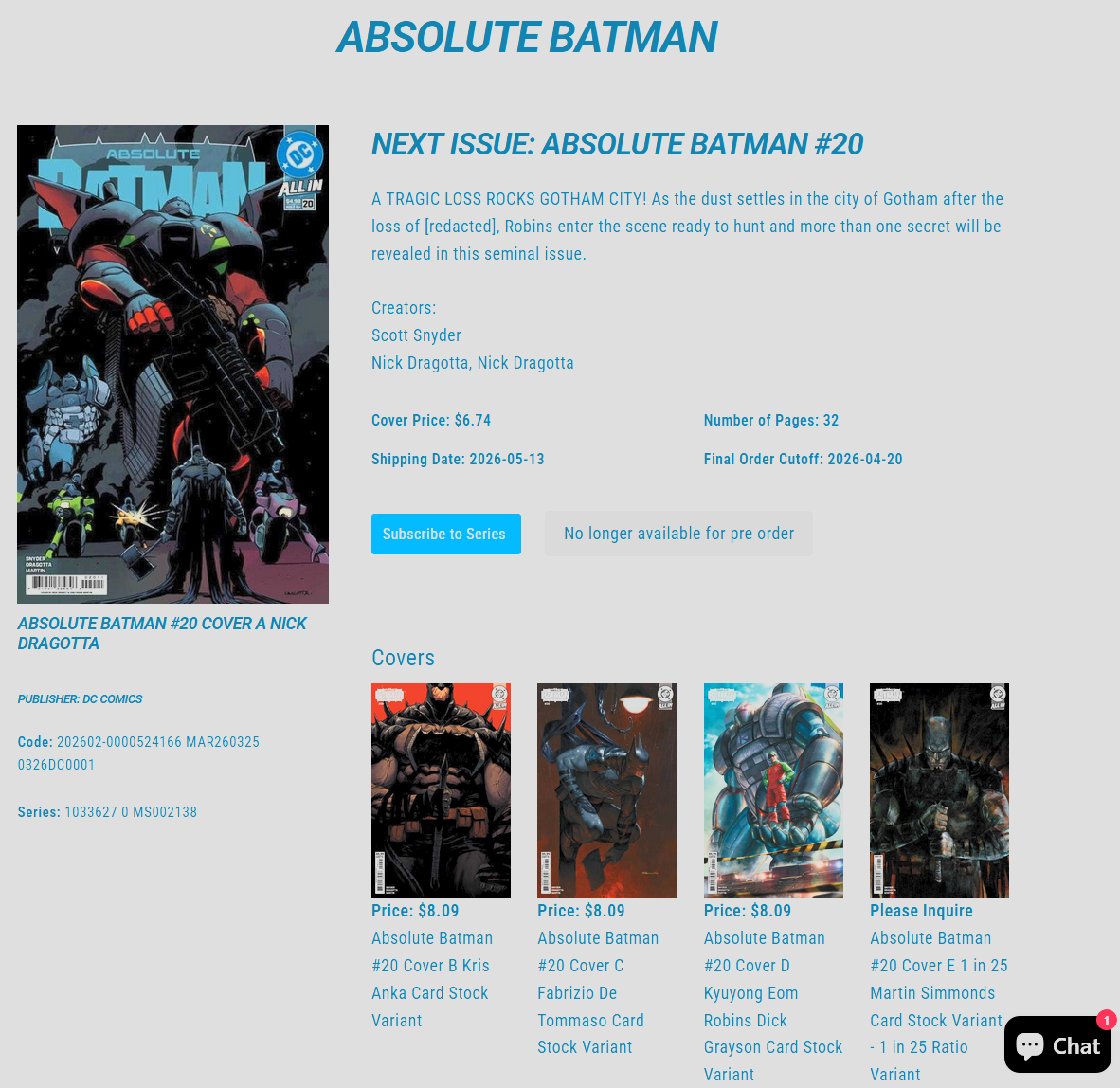
The customer clicks Subscribe and chooses Cover A or Cover B.
Confirmation appears, and the title shows up in their subscription list.
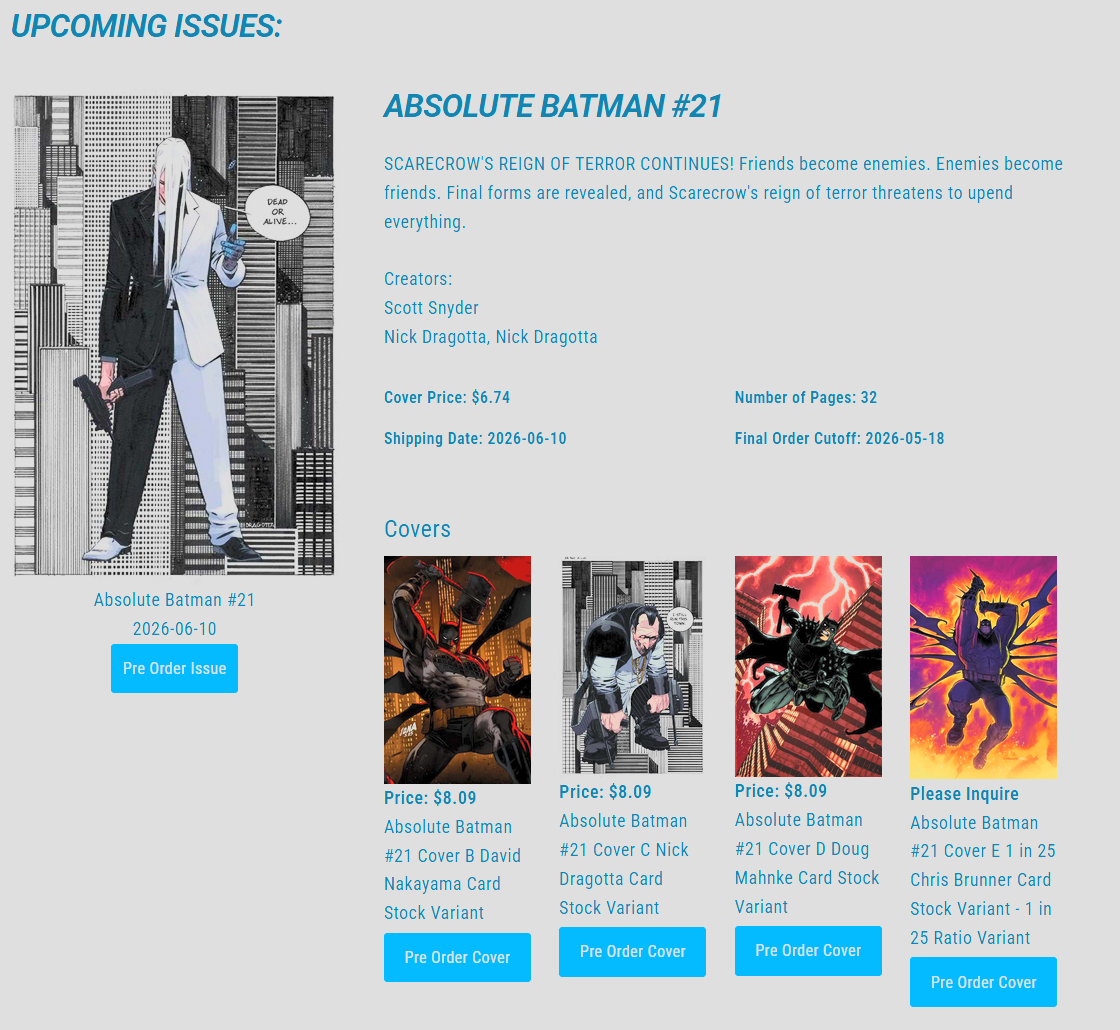
Upcoming Issues
Manage Comics most prominently displays the issue with the nearest Shipping Date. Upcoming issues are listed below the current issue with options to pre-order specific titles or issues. Once the FOC date has passed, the Pre-Order button is greyed out and will note that the item is No Longer Available for pre-order.
What Happens Behind the Scenes
On your shop side:
The customer's subscription record is created immediately.
It appears in All Subscriptions under the title.
It appears on the customer's record in All Customers.
From here on, the title is part of their weekly pull.
Unsubscribing
The customer can unsubscribe from their own subscriptions page by clicking the trash or cancel icon on any row. The removal is immediate.
Important for the customer: if an issue is already past FOC and in the pipeline, a simple unsubscribe doesn't stop the copy from arriving. In those cases, the customer (or your staff) can mark the last-committed issue as a Final Pull — see Edit a Customer's Subscriptions.
Related
Edit a Customer's Subscriptions — the staff-side version.
How to Subscribe — the initial signup.
Subscriptions, Pre-Orders, and Pulls — what customers see once they're subscribed.