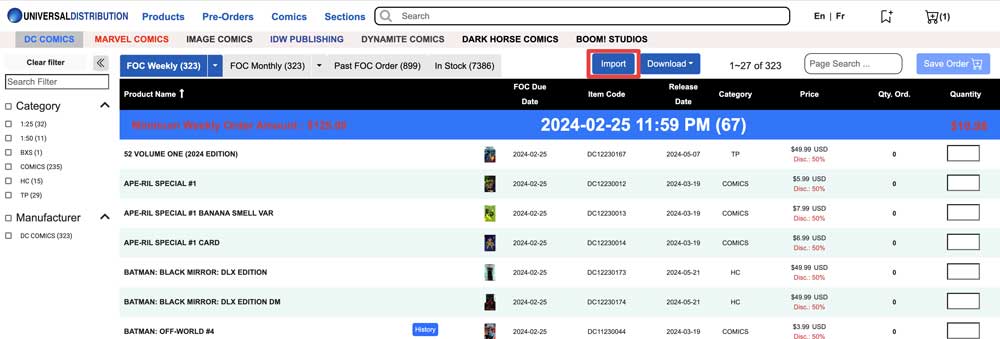
Universal Distribution does not offer Initial orders, they only offer Final Order Cutoff files. We've built a system to allow you to create FOC files using the Manage Comics information.
Universal Distribution now accepts CSV imports.
Before you get started, ensure that you have set Universal as your preferred distributor in the Manage Publishers and Product Types settings of Manage Comics.
Generating your FOC files from Universal
Universal FOC's are currently per-publisher (we have asked Universal to create a single FOC file, we will update you on progress of this), on the Universal Distribution site,
Step 1:
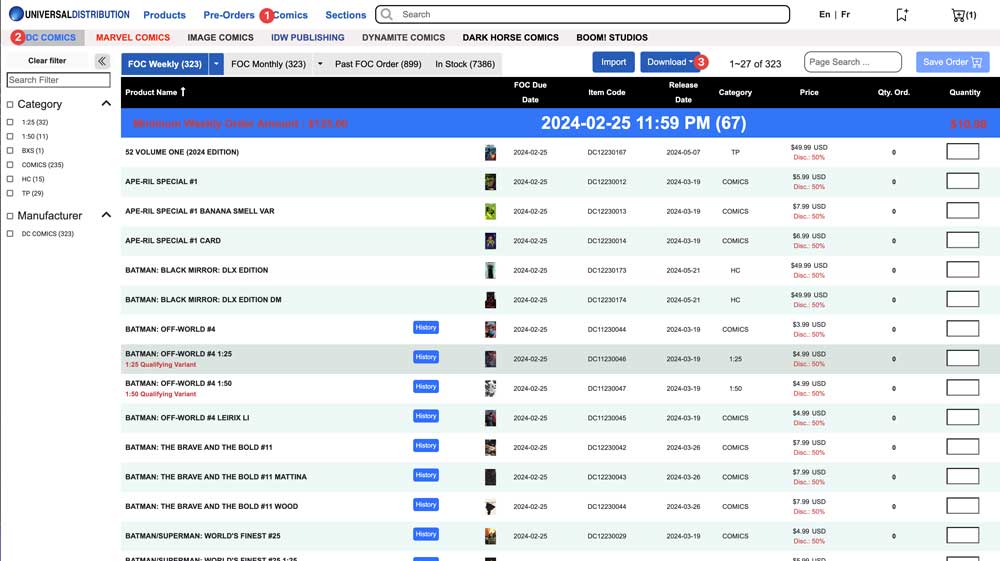
Navigate to (1) comics and then to your distributor of (2) choice and click the (3) Download button.
Step 2:
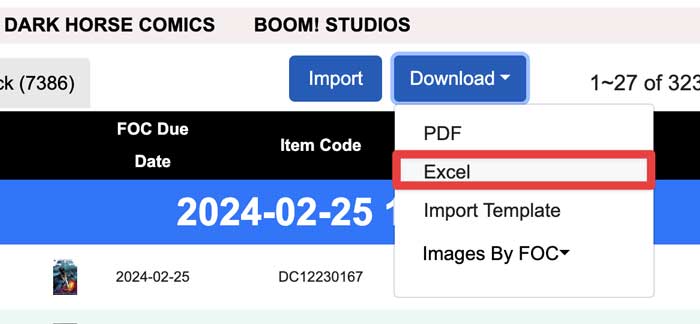
Select "Excel" from the download options.
Step 3:
Select "Filtered Data," and save the file.
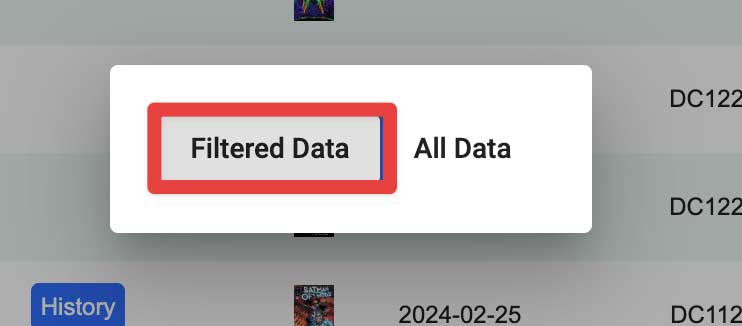
Important: Do not open this file. Excel will break it as often as it doesn't.
Step 4:
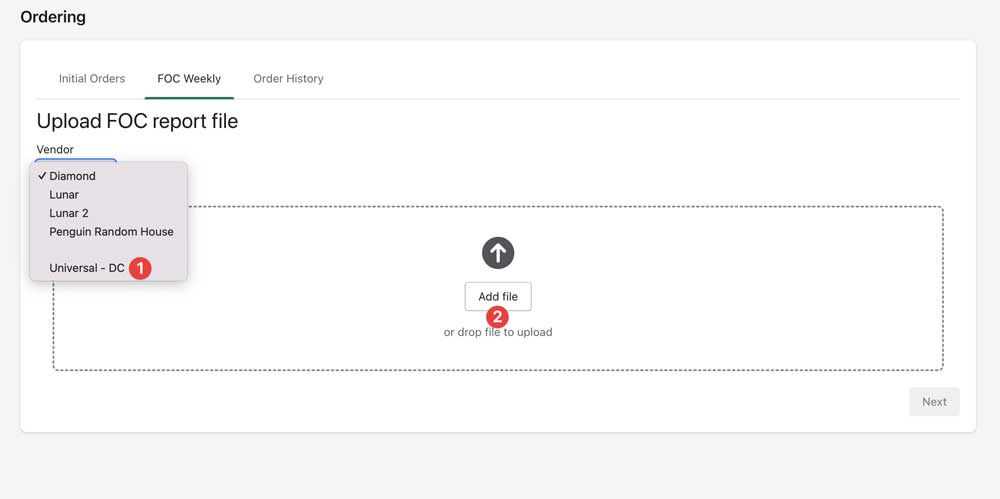
Back in Manage Comics, in Ordering → FOC Weekly, select your (1) Distributor/Publisher combo, upload the file into Manage Comics by either clicking the (2) Add File, or dragging your XLSX file from where you saved it previously, this will take a while (up to 1 minute in some cases).
Step 5:
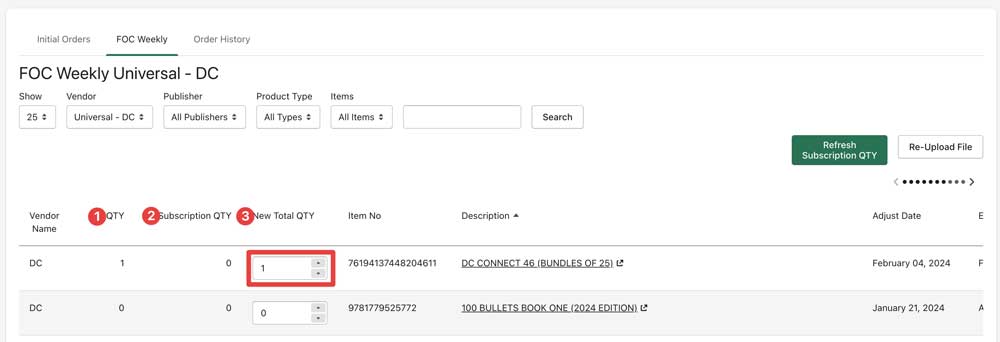
Once the file has processed, you can now start to edit your quantities on the FOC.
QTY - the Quantity currently on order
Subscription QTY - the number of current orders (subscription and pre-orders) for the item
New Total QTY - the editable number you can enter. This should be your shelf + subscription quantity
Scroll to the bottom of the page and select "Download Universal - DC Upload File".

You now have your FOC file for this publisher.
Important: Do not open this file. Excel will often break it.
Step 6:
Back in Universal, upload your file, review your results and repeat for all publishers.