

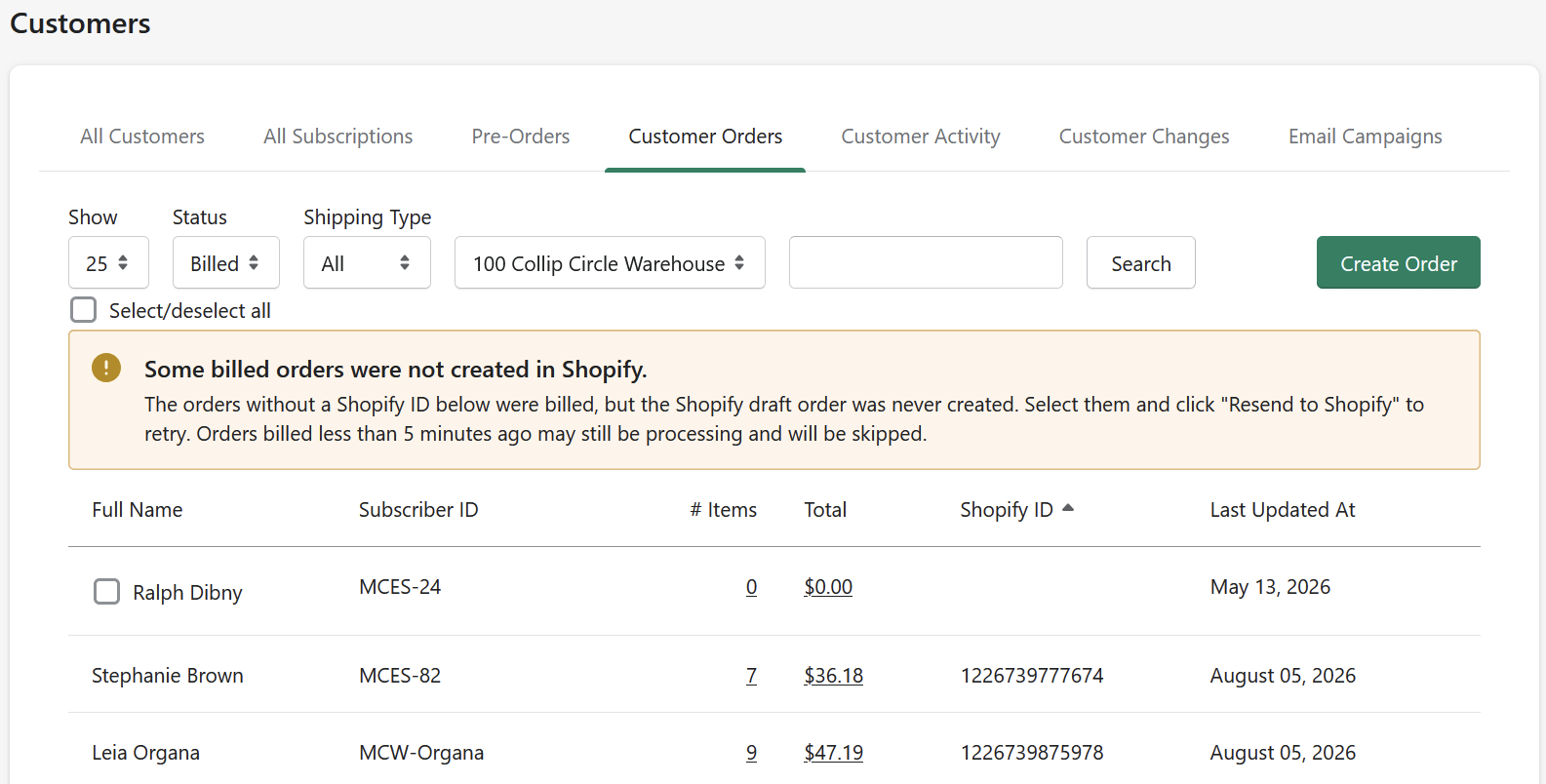
When you invoice customer orders, each one moves through a short pipeline: Pulled (items pulled, waiting to be invoiced) → Billed (invoiced; Manage Comics is creating the matching draft order in Shopify) → a draft order in Shopify that your customer pays, or you ring through at the register. Two things go wrong often enough to deserve their own answers.
An order is stuck in Billed
Billed → draft order normally takes minutes, up to about 15 on a busy day. If orders sit in Billed well past that, the background job that creates draft orders has usually stalled — that is on our side, not yours. Don't delete or re-create anything; email help@managecomics.com with your store name and one example order number, and we'll restart the stalled jobs. Orders catch up on their own once the queue moves again.
An invoice errored
Errored means Manage Comics could not create the Shopify draft for that order. The most common cause: a product on the order changed identity after the order was placed — usually a publisher changing a UPC — so Manage Comics has lost track of the item it originally reserved.
The self-serve fix when one title is erroring across orders:
Move the affected orders back to Pulled.
Remove the problem title from each order.
Re-invoice without it.
Add the title to the order directly in Shopify.
One errored invoice can hold up the rest of the queue, so it's worth clearing promptly. If nothing on the order looks unusual, email support with the order number.
Close draft orders — never delete them
When a customer pays at the register instead of online, close the draft order (mark it paid/completed in Shopify). Deleting a draft does not tell Manage Comics the items were dealt with, so it still considers them owed — and the next invoicing run will push them into a new draft. Weeks of "old items keep reappearing in my drafts" tickets trace back to deleted drafts.
A customer sees "out of stock" while paying
If a customer's reserved copy shows as unavailable at payment, the copy is being held for them — that's the reservation doing its job awkwardly, not a lost item. If it blocks payment entirely, email support with the order number.
Shopify requires a shipping method on the draft
Shopify has intermittently required a shipping selection on draft orders — behavior that changed on their side, was rolled back once, and has returned. If a pickup customer is being forced to choose shipping, add a free "In-store pickup" manual rate in your Shopify shipping settings so there is always a zero-cost option to select.